
Online Gradebook for Tutoring Centers and After-School Programs

icon

Flexible Grading Options.

icon

Distribute Assignments and Collect Homework.

icon

Easy to Use.

think web image
Distribute & collect assignments online.

Distribute & collect assignments online.

Student & parent access.

Student & parent access.

Automatic mass email to students
and parents.

Automatic mass email to students and parents.

Choose a free gradebook or ad-free premium gradebook.

Choose a free gradebook or ad-free premium gradebook.

Advanced messaging.

Advanced messaging.

Distribute Assignments and Collect Homework.
Powerful Messaging. Flexible for Project-Based Learning.

Gradebook with Intuitive Interface

Free Online Gradebook with
Intuitive Interface

ThinkWave Educator has an intuitive, easy-to-use interface that can be learned quickly. Multiple classes can be maintained in a single gradebook. There is no need to log in multiple times to access different classes.

Easy to Use From All Devices

Easy to Use From All Devices

ThinkWave Educator is completely cloud-based, which means there is no software to install, and teachers can access data from school or home. ThinkWave can be used with Edge, Firefox, Safari, and Chrome on PC, MAC, Linux, iOS, and Android devices.
Gradebook That's Right for You

Get the Gradebook That's Right for You

ThinkWave Educator is great for solo teachers and tutors who want a basic, free gradebook. ThinkWave Educator Premium is for teachers and tutors who want a full-featured gradebook with 100 GB online storage.

What To Expect with ThinkWave on Your Mobile Device
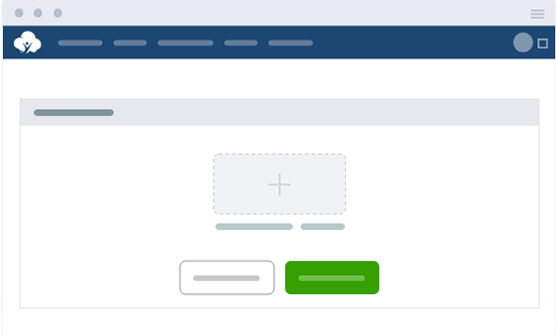
If your students come in twice a week or drop in as needed, ThinkWave makes it easy to keep everyone on the same page. Upload practice worksheets, lesson plans, and supplemental materials for students to access between visits, with no more re-printing handouts a student lost or missed because they were absent. Free accounts include 25MB of storage, and premium plans scale up to 100GB, with support for PDFs, docs, images, and videos. With the full functionality of a learning management system, parents juggling multiple kids' schedules can pull up exactly what their child worked on last time, from any device.
Parents don't want a separate login for every child or every location their family attends. ThinkWave gives each family a single, secure portal to check progress across all enrolled students, including session summaries, completed work, and student progress reports on what's coming up next.
No more digging through backpacks or folders at pickup time. Students upload finished worksheets or practice sets, and it lands in your digital gradebook automatically — sorted and dated, ready for you to review before the next session. It's one less thing for front-desk staff to manage, and with missing assignments flagged instantly, nothing falls through the cracks in transit between home and your center.
Send a closure notice to your whole roster, a reminder to just your Tuesday/Thursday group, or an update to parents at one location without touching the others. Attach files to your message, and send by email in one click. For centers juggling multiple age groups, subjects, or campuses, this keeps communication targeted instead of one-size-fits-all.
You're not bound to a single school's grading scale. Build your own grading system around what actually matters to your program; completion-based tracking for homework help, skill mastery for test prep, or a weighted blend like Assessments (30%), Practice Work (40%), Projects (15%), and Participation (15%). Whatever your model, ThinkWave adapts to it instead of forcing you into a traditional A–F structure.
Generate polished, branded PDF progress reports, with your center's logo, that show concrete gains over time, so parents can track grades at a glance. It's also proof of value at renewal time.
Upload Assignments and Handouts Online

Frequently Asked Questions

Can parents and students access grades and assignments from their phone?

Yes. ThinkWave is a web based gradebook, so parents and students can log into their own student portals or parent portal from any phone, tablet, or computer, no app to download. From there, they can view student grades, upcoming assignments, and completed work in real time. Tutors and administrators can also export grades whenever they need a copy for their own records.

How do I manage multiple students across different locations or age groups?

ThinkWave can scale beyond a single classroom. If your program has multiple teachers or tutors working across different age groups or locations, each can manage their own roster while administrators keep a view across the entire school or organization. Individual teachers and staff members can be given their own logins, so everyone sees only what’s relevant to them, no matter how many programs or sites you run.

Can I track progress differently for tutoring vs. homework help vs. test prep?

Yes. ThinkWave doesn’t lock you into traditional grading; you can build custom grade scales for each program type, whether that’s a point-based system for test prep or standards based grading for skills-focused tutoring. Gradebooks can automatically calculate averages and letter grades, and teachers can drop the lowest scores for any assignment type, so grades reflect real progress rather than one bad day. You can also set your own grading periods to match session blocks, semesters, or rolling enrollment, whatever fits your grading process.

How do parents get notified about missing assignments or upcoming sessions?

ThinkWave’s built-in communication tools make it easy to flag specific assignments that are missing or overdue, and send reminders automatically. You can message the entire group at once for schedule changes, or reach individual families directly. Some programs also use this for basic behavior tracking and tracking attendance, so parents stay in the loop on more than just grades.

Do I need to install any software to use ThinkWave?

No. ThinkWave is completely cloud-based, so there’s nothing to install and nothing to maintain. It works right in your browser on PC, Mac, Linux, iOS, and Android devices. On top of that, ThinkWave has an intuitive, easy-to-use interface that most tutors and staff pick up in minutes, with no lengthy training required.

Can parents see progress for more than one child with a single login?

Yes. Rather than juggling separate accounts, families get one set of parent web portals credentials that cover every enrolled child. This keeps student information organized in one place and gives parents a single, simple way to check on all their kids, even the student web portals view stays consistent from child to child.

What do the progress reports look like and can I add my center's branding?

Progress reports are generated as clean, professional PDF report cards that summarize student performance over a given period. You can fully customize them with your center’s logo, header, and formatting, giving parents a polished document that reflects the quality of your program at renewal time.

Still have questions?
We’re here to help!

profile