
Online Gradebook for
Homeschool Programs

Flexible Grading Options.
Distribute Assignments and Collect Homework.
Easy to Use.
 Browse Live Demo
 Overview Video
 Schedule a Demo


Distribute & collect assignments online.

Student & parent access.

Automatic mass email to students and parents.

Choose a free gradebook or ad-free premium gradebook.

Advanced messaging.
Distribute Assignments and Collect Homework. Powerful Messaging. Flexible for Homeschool Learning.

Gradebook with Intuitive Interface
ThinkWave Educator has an intuitive, easy-to-use interface that can be learned quickly. Multiple classes can be maintained in a single gradebook. There is no need to log in multiple times to access different classes.

Easy to Use From All Devices
ThinkWave Educator is completely cloud-based, which means there is no software to install, and teachers can access data from school or home. ThinkWave can be used with Internet Explorer, Firefox, Safari, and Chrome on PC, MAC, Linux, iOS, and Android devices.

Get the Gradebook That's Right for You
ThinkWave Educator is great for solo teachers who want a basic, free gradebook. ThinkWave Educator Premium is for teachers who want a full-featured gradebook with 100 GB online storage.
What To Expect with ThinkWave on Your
Mobile Device
ThinkWave Educator provides all the functionality of a learning management system with the ability to upload homework and handouts online. You can upload files up to 25MB to our free gradebook, and premium users can enjoy up to 100GB of storage space. Plus, with support for various file formats—such as .pdf, .doc, images, and videos—homework is easily accessible to students and parents. These assignments can also be downloaded by students or parents for easy access. No need to email files between home and school when everything is available online from any computer.
ThinkWave improves communication by providing individual, password-protected accounts for students and parents to access classroom information. Detailed, day-to-day summary of student progress includes overall results, graded assignments, and upcoming assignments. Grades Online enables student achievement by improving organization and allowing for early intervention.
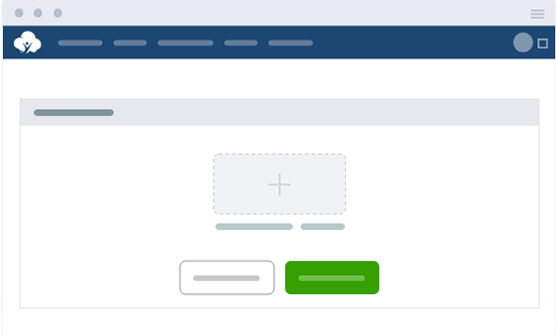
ThinkWave Educator offers the powerful ability to collect homework from students online. Students upload their homework files with an easy-to-use upload function. Files are immediately available to the teacher in the gradebook. Uploaded files are organized for the teacher by assignment and date.
ThinkWave includes the ability to post messages and announcements. Messages can be directed to all students and parents, particular groups of students, or specific classes. Files can be uploaded with blog posts. Messages can be sent by email to the entire group with one click.
Teachers and students alike can benefit from experimenting with a variety of grading methods. With ThinkWave Educator, you can use an all-points grading system or a flexible grading system that combines points, letter grades, check, check plus, and custom grades. Create your own assignment types and use assignment type weightings—such as Tests (30%), Homework (40%), Projects (15%), and Participation (15%)—to reflect different evaluation priorities and grading scales.
ThinkWave Educator includes powerful report capabilities that generate professionally-formatted, ready-to-print, .pdf documents. Reports can be customized with a logo and header, and multiple other customization options.
Frequently Asked Questions
Can I manage multiple students in one homeschool account?
Yes. The online gradebook allows parents to manage multiple students from a single login. Each child’s courses, assignments, and grades are organized separately, while parents can still view everything in one place.
How does the online gradebook handle recording grades for different subjects?
The system makes recording grades very simple for each subject, whether it’s math, science, reading, or project-based work. Parents can enter scores for assignments, quizzes, and activities, keeping all records organized throughout the school year.
Can I use custom grade scales instead of traditional grades?
Yes. The online gradebook supports custom grade scales, so homeschool parents can measure progress in a way that best reflects their teaching style. You can set up pass/fail, letter grades, percentages, or other scales that best fit your homeschool program.
Can I calculate average grades automatically?
Yes. The online gradebook calculates average grades for each subject or assignment type. This saves parents time and provides a clear picture of how a student is progressing across different areas.
How does the online gradebook show student performance over time?
Parents can track student performance with reports that combine assignments, attendance, and notes. These reports highlight areas of strength and where extra support might be needed, helping parents adjust lessons and goals throughout the year.
Why is this the best online gradebook for homeschool programs?
Our online gradebook is designed to give homeschooling families flexibility and clarity. With features like assignment tracking, custom grading options, and easy reporting, it’s one of the best online gradebook tools available for home education.
Can I create progress reports for homeschool records?
Yes. The online gradebook makes it very easy to generate progress reports that combine assignments, attendance, and notes into one clear summary. These reports can be saved or printed for homeschool portfolios or state requirements.
How do I share progress reports with my student or a homeschool evaluator?
Progress reports can be emailed directly, downloaded, or printed. This allows parents to share a student’s progress with evaluators, co-op leaders, or simply keep them on file for personal homeschool records.
Still have questions?
We’re here to help!
