
Online Gradebook for Green Schools

icon

Flexible Grading Options.

icon

Distribute Assignments and Collect Homework.

icon

Easy to Use.

Online Gradebook for Montessori Schools image
Distribute & collect assignments online.

Distribute & collect assignments online.

Student & parent access.

Student & parent access.

Automatic mass email to students
and parents.

Automatic mass email to students and parents.

Choose a free gradebook or ad-free premium gradebook.

Choose a free gradebook or ad-free premium gradebook.

Advanced messaging.

Advanced messaging.

Distribute Assignments and Collect Homework. Powerful Messaging. Flexible for Project-Based Learning.

Gradebook with Intuitive Interface

Free Online Gradebook with
Intuitive Interface

ThinkWave Educator has an intuitive, easy-to-use interface that can be learned quickly. Multiple classes can be maintained in a single gradebook. There is no need to log in multiple times to access different classes.

Easy to Use From All Devices

Easy to Use From All Devices

ThinkWave Educator is completely cloud-based, which means there is no software to install, and teachers can access data from school or home. ThinkWave can be used with Internet Explorer, Firefox, Safari, and Chrome on PC, MAC, Linux, iOS, and Android devices.

Gradebook That's Right for You

Get the Gradebook That's Right for You

ThinkWave Educator is great for solo teachers who want a basic, free gradebook. ThinkWave Educator Premium is for teachers who want a full-featured gradebook with 100 GB online storage.

What To Expect with ThinkWave on Your Mobile Device
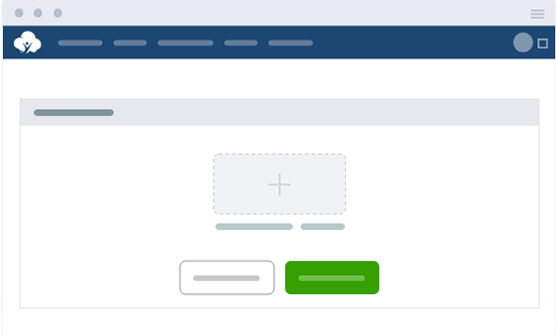
ThinkWave Educator provides all the functionality of a learning management system with the ability to upload homework and handouts online. You can upload files up to 25MB to our free gradebook, and premium users can enjoy up to 100GB of storage space. Plus, with support for various file formats—such as .pdf, .doc, images, and videos—homework is easily accessible to students and parents. These assignments can also be downloaded by students or parents for easy access. No need to email files between home and school when everything is available online from any computer.
ThinkWave improves communication by providing individual, password-protected accounts for students and parents to access classroom information. A detailed, day-to-day summary of student progress includes overall results, graded assignments, and upcoming assignments. Grades Online enables student achievement by improving organization and allowing for early intervention.
ThinkWave Educator offers the powerful ability to collect homework from students online. Students upload their homework files with an easy-to-use upload function. Files are immediately available to the teacher in the gradebook. Uploaded files are organized for the teacher by assignment and date.
ThinkWave includes the ability to post messages and announcements. Messages can be directed to all students and parents, particular groups of students, or specific classes. Files can be uploaded with blog posts. Messages can be sent by email to the entire group with one click.
Teachers and students alike can benefit from experimenting with a variety of grading methods. With ThinkWave Educator, you can use an all-points grading system or a flexible grading system that combines points, letter grades, check, check plus, and custom grades. Create your own assignment types and use assignment type weightings—such as Tests (30%), Homework (40%), Projects (15%), and Participation (15%)—to reflect different evaluation priorities and grading scales.
ThinkWave Educator includes powerful report capabilities that generate professionally formatted, ready-to-print .pdf documents. Reports can be customized with a logo and header, and multiple other customization options.
Upload Assignments and Handouts Online

Frequently Asked Questions

How does ThinkWave help schools reduce paper use?

ThinkWave replaces paper-based workflows with a fully digital system. Teachers can distribute assignments and collect homework online, send mass emails to students and parents with one click, and generate progress reports as PDFs rather than printing and physically distributing them. For green schools working to reduce their environmental footprint, moving these everyday tasks online is a simple, practical step toward a paperless campus.

How can teachers contact students and parents through ThinkWave?

ThinkWave includes a built-in messaging system that lets teachers post announcements, send direct messages, and email groups instantly; there’s no separate email needed, and no more paper notices that need to be sent home. All communication stays digital, keeping your school’s commitment to sustainability visible in even the smallest daily habits.

Can teachers send messages to specific groups or classes?

Yes. Messages can be directed to a specific class, a particular group of students, or individual families. So if your environmental science class has an upcoming field day or your sustainability club has an announcement, you can reach exactly the right people without printing and distributing a single flyer.

Can students submit homework digitally through ThinkWave?

Yes. Students upload completed assignments directly through their ThinkWave accounts, supporting formats like PDF, Word documents, images, and videos. Eliminating paper hand-ins across every class and every student adds up to a meaningful reduction in daily paper consumption and reinforces a culture of sustainability in the classroom.

Can teachers manage multiple classes in one online gradebook?

Yes. The ThinkWave Online Gradebook lets teachers maintain multiple classes within a single gradebook through one login.

Can teachers copy assignments from earlier years for projects?

Yes. Teachers can copy assignments into a new class, term, or school year. There’s no reprinting instruction sheets season after season. Just update the existing materials and redistribute them digitally, reducing paper waste while saving valuable prep time.

Are teachers limited to points-only grading?

No. ThinkWave supports points, percentages, letter grades, pass/fail, complete/incomplete, and custom scales, with options to weight assignment types or drop the lowest scores. This flexibility is useful not only for traditional tests and quizzes, but also for project-based and lab-heavy curricula where students are evaluated on sustainability challenges, design projects, and hands-on environmental work.

Are there limits on how many students, classes, or assignments teachers can add?

No, there are no limits. This means you can add students, classes, and assignments throughout each year without any issues.

Can the gradebook work in colleges or other school types?

Yes. While ThinkWave supports K–12, it is also used by colleges, trade schools, international programs, and specialized academies. If your institution is pursuing a green schools certification, building a more sustainability-focused curriculum, or trying to reduce the amount of paper used, the ThinkWave online gradebook can make it easier to align with your school’s mission.

Can teachers weigh grades by assignment type using your free online gradebook?

Yes. Teachers can create assignment categories and calculate final grades using weighted averages. For example, giving more weight to sustainability design projects or environmental lab work than to traditional quizzes. Everything can be managed digitally, with no paper gradebook required.

How are progress reports created and shared with families?

The setup process for progress reports is very straightforward and easy to use. Teachers can generate them directly from the ThinkWave online gradebook, combining assignments, attendance, and teacher notes into a PDF. The progress reports can then be emailed to parents or accessed through their password-protected ThinkWave accounts.

Still have questions?
We’re here to help!

profile